After successfully logging into the app, go to the respective camera setting which you want to delete. Delete the respective camera from user account first.
Hold the reset button on camera till you hear a voice prompt from the camera i.e “RESET SUCCESS”.
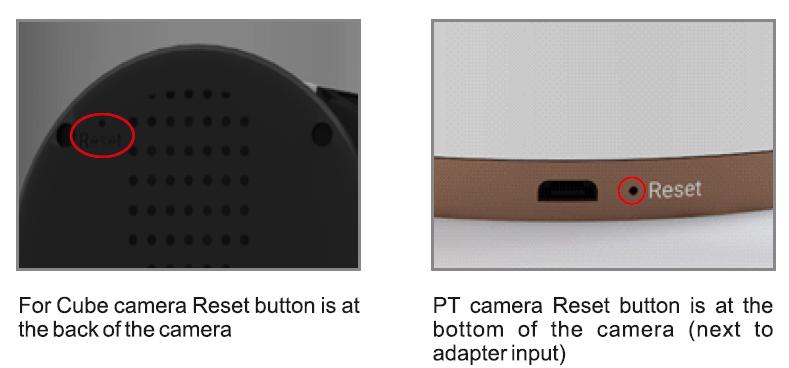
- For the cube camera, the reset button is at the back of the camera.
- For the PT camera, the reset button is at the bottom of the camera, next to the adapter input.